
6.0.0 Overview
New Releases:
- Significant improvements and updates to the mobile app user interface and design.
- App version added on login page: When a patient logs into the app, the current app version is displayed at the bottom of the page.
- Added the option for patients to view their inputted password upon account setup and /login.
- Added the option to Mark All Exercises as Complete with a single click.
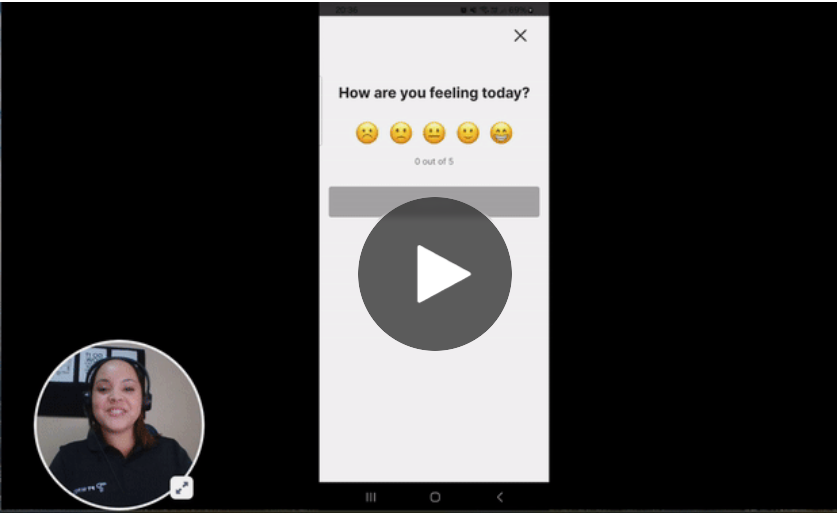
- Added Daily Outcome Score: This pop-up will ask patients for a daily outcome rating once per day. Patients will also receive notifications to encourage them to submit these.
- Added a subtitle placeholder to the daily outcome score: Update subtext e.g. "Enable to record your daily progress rating."
- Daily Outcome Score appears first when patients log into the app.
- Auto-Play Video on Exercises Page: Exercise videos now plays automatically when an exercise is opened from the Exercises list page.
- A patient can now mark an exercise as complete the number of times matching the prescribed frequency, rather than just being able to mark as complete once per day.
- Added a Loading Indicator for Messages Sent between patient's and providers: A loading indicator appears when a message is being sent, providing reassurance that the action has been registered and is currently being processed.
- Added a "Poor Network Connection" banner on mobile app: This banner is displayed whenever the device loses internet connectivity while using the app.
Title: "⚠️ No internet connection"Subtitle: "Any changes will not be saved until internet connectivity is restored."
- Exercises fit to the top of the screen: When patients open an exercise, the exercise will appear at the top of their screen and they no longer have to scroll to find the opened exercise.
Fixes & Improvements:
- Loading Speed for Exercise Completion has been enhanced.
- Android Push Notification Screen has been removed.
- The Adherence Log now accurately displays completed exercises.
- The issue causing streaks to reset on the patient's mobile app has been resolved.
- The "Freezing" issue due to maximum text size has been fixed.
- Unscrollable awards pop-up has been made scrollable.
- Thumbnails for custom exercises now display correctly.
Comments
0 comments
Article is closed for comments.